Power Outage? Move Your Power Station to Your Solar Panels (Plus a Generator Inlet for Whole-Home Backup)
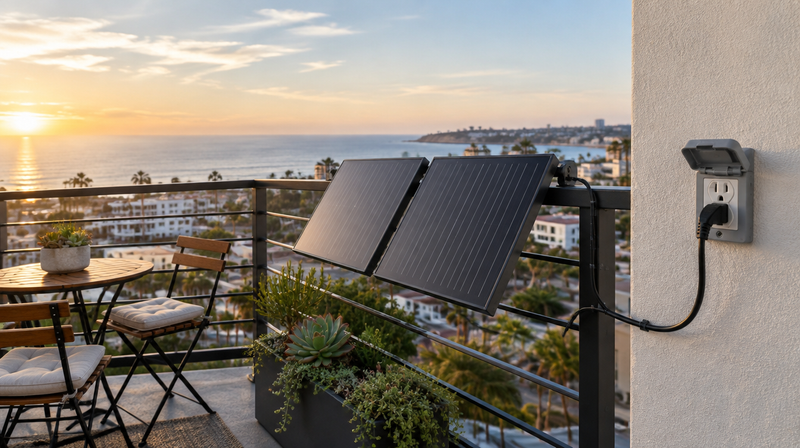
When the grid goes down, your plug-in solar microinverter shuts off with it. That's a required safety feature (here's why). But your panels don't stop working. They keep making power every sunny hour, so you just need to send that power somewhere else.
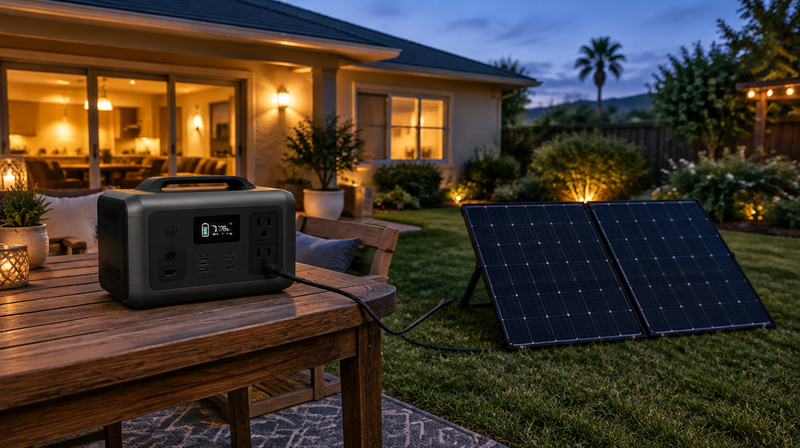
This guide covers two ways to do that, using the EcoFlow DELTA Pro 3 as the example. Part 1 is for beginners: a five-minute swap that moves your panels from the microinverter to your power station. Part 2 is for advanced users: a generator input plug that lets the DELTA Pro 3 run whole circuits in your home.
What you need for the beginner setup
- The panels you already have on your EZ1 microinverter.
- A portable power station. We'll use the EcoFlow DELTA Pro 3 (4,096 Wh, 4,000 W output).
- An MC4-to-XT60 solar charging cable. Your panels use MC4 connectors; the DELTA Pro 3's solar ports use XT60-style plugs. EcoFlow sells this as its solar charging cable, and third-party versions are widely available.
- An MC4 unlocking tool (a small plastic spanner that costs a few dollars). MC4 connectors lock together and aren't meant to be pulled apart by hand.
- Optional: MC4 extension cables if the power station will sit farther from the panels than the panel leads reach.
The DELTA Pro 3 has two solar inputs. Here's what each one accepts, from EcoFlow's manual:
| DELTA Pro 3 solar port | Voltage range | Max current | Max power |
|---|---|---|---|
| High-PV (XT60) | 30–150 V | 15 A | 1,600 W |
| Low-PV (XT60i) | 11–60 V | 20 A | 1,000 W |
The one rule to remember: the open-circuit voltage (Voc) of your panels, added up for every panel wired in series, must stay under the port's maximum voltage. Voc is printed on the label on the back of every panel.

Part 1: Move your panels to the power station (beginner)
Our example is a common setup: four Callsun 200 W panels on one EZ1, wired as two pairs (two panels in series on each of the EZ1's two inputs). Each panel has a Voc of 27.31 V.
- Unplug the EZ1 from the wall outlet. It already stopped producing when the grid went down. Unplugging it keeps it fully off, so it can't start back up while you're working.
- Disconnect the panels from the EZ1. Use the MC4 tool to unlock each connector, then pull the two halves straight apart. You'll now have two panel pairs, each with one positive (+) lead and one negative (−) lead. Panels still produce voltage in sunlight, so don't touch the metal pins and keep the connectors dry.
- Join the two pairs into one string. Connect the negative (−) lead of the first pair to the positive (+) lead of the second pair. All four panels are now in series, leaving one free + lead and one free − lead.
- Check the numbers. 4 × 27.31 V = about 109 V, safely under the High-PV port's 150 V limit. The panels' current (about 8.9 A) is under its 15 A limit. You're good to go.
- Connect to the power station. Plug the free + and − leads into the MC4 end of the charging cable (+ to +, − to −), then plug the XT60 end into the DELTA Pro 3's High-PV port.
- Confirm it's charging. The DELTA Pro 3's screen (or the EcoFlow app) will show solar input watts.
Now plug your essentials straight into the DELTA Pro 3's outlets: the fridge, a few lamps, your Wi-Fi router, phone chargers. It keeps running them while the panels recharge it.
How much power will you get?
Four 200 W panels can deliver up to 800 W in full sun. On a clear day, that's roughly 3 kWh back into the battery, about three-quarters of the DELTA Pro 3's 4,096 Wh. A fridge, lights and internet (around 300 W together) would run for roughly 11–12 hours on a full charge, so a sunny day can go a long way toward keeping up.
Using other panels?
- Callsun 450 W panels (Voc 35.84 V): two in series is about 72 V, which goes in the High-PV port. They can push nearly 16 A, a bit over the port's 15 A limit, so the DELTA Pro 3 simply caps the current and you get slightly less than the full 900 W. Never plug a 72 V string into the Low-PV port (60 V max).
- Cold mornings: Voc rises when panels are cold. A four-panel string of 200 W panels stays well under 150 V, but if your total is close to a port's limit, add fewer panels in series.

When the power comes back
- Unplug the charging cable's XT60 end from the DELTA Pro 3.
- Separate the two panel pairs again, and reconnect each pair to its original EZ1 input.
- Plug the EZ1 back into the wall. It waits a few minutes to confirm the grid is stable before it starts producing again. That's normal.
Between outages, keep the DELTA Pro 3 plugged into a wall outlet so it's full when you need it. On a sunny day, that means it's charging from power your panels are making.

Part 2: Power your home's circuits with a generator input plug (advanced)
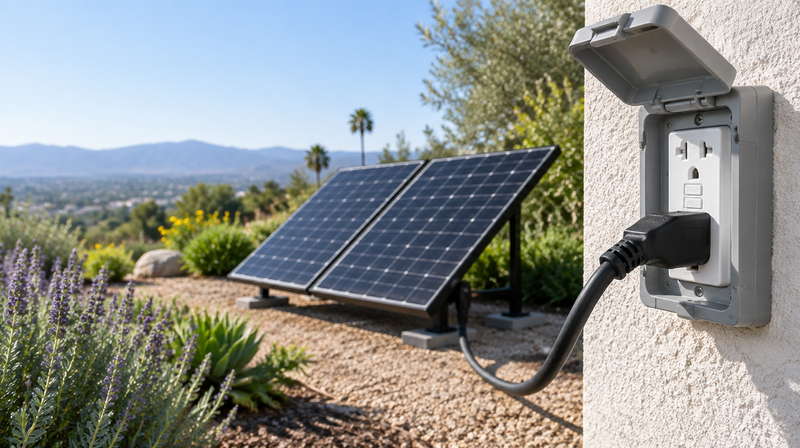
Extension cords work, but you can only power what you can reach. A generator input plug (a weatherproof power inlet box on an outside wall, wired to your breaker panel) lets the DELTA Pro 3 run the circuits themselves: kitchen outlets, bedroom lights, the furnace fan, the garage door.
The DELTA Pro 3 is a good fit because it has a 30 A, 240 V split-phase L14-30 outlet. Split-phase means it powers both sides of your panel, so your regular 120 V circuits on either side work. That matches the 4-prong L14-30 version of our inlet box.
What the setup includes
- EcoFlow DELTA Pro 3 set to its 240 V output (see EcoFlow's manual for how to switch).
- Generator Input Plug + Interlock Kit, L14-30 version, with the interlock matched to your panel's brand.
- An L14-30 generator cord (4-prong twist-lock on both ends, rated 30 A), long enough to reach from where the power station sits to the inlet box.
- A licensed electrician to install the inlet box, a 30 A two-pole breaker and the interlock. This work usually needs a permit, and your electrician will handle it.
The interlock is not optional. It's a sliding plate that physically stops your main breaker and the inlet breaker from being on at the same time, so your house is cut off from the grid whenever backup power is connected. Code requires it (or a transfer switch), EcoFlow's manual requires an isolation switch, and it protects line workers. That's why we only sell the input plug with the interlock kit. Your electrician will also confirm the neutral-ground setup for your panel.
Never back-feed your home through a regular outlet with a double-ended ("male-to-male") cord. It can electrocute utility workers and anyone who touches the exposed prongs, and it can start fires.

How to switch over during an outage
- Turn off the main breaker.
- Turn off your branch circuits (or at least the big ones), so nothing starts up all at once.
- Slide the interlock plate over the main breaker. This frees the inlet breaker.
- Connect the cord: one end into the DELTA Pro 3's L14-30 outlet, the other into the inlet box. Twist both to lock.
- Turn on the DELTA Pro 3's 240 V AC output.
- Turn on the inlet breaker, then turn your chosen circuits on one at a time.
Keep the total load under 4,000 W (the DELTA Pro 3's continuous output). Start with the essentials, like the fridge, lights, internet and furnace fan, and skip big electric loads like the water heater, dryer, oven and EV charger. The EcoFlow app shows exactly how many watts you're using.
Solar in, home out
This is where Parts 1 and 2 come together. With your panels connected to the High-PV port and the DELTA Pro 3 feeding your panel through the inlet, your solar keeps recharging the battery during the day while it powers your home.
When the grid comes back
- Turn off your branch circuits, then the inlet breaker.
- Turn off the DELTA Pro 3's AC output and unplug the cord from both ends.
- Slide the interlock plate back and turn the main breaker on, then your circuits.
- Move your panels back to the EZ1 (see "When the power comes back" above).

Which setup is right for you?
| Beginner: panels to power station | Advanced: generator input plug | |
|---|---|---|
| What it powers | Anything you plug into the power station | Whole circuits in your breaker panel |
| Extra parts | MC4-to-XT60 cable, MC4 tool | Inlet box + interlock kit, L14-30 cord |
| Installation | None, done by hand in minutes | Licensed electrician |
| Best for | Renters, first-time owners, short outages | Homeowners who want the house to feel normal |
Many people start with Part 1 and add the inlet later. Either way, your panels keep working for you when the grid doesn't.
Shop the DELTA Pro 3 →Generator Input Plug + Interlock Kit
Want the inlet installed? Book an electrician or add an Electrician Visit to your order.
This article is general information. Always follow your equipment's manuals, and have a licensed electrician install anything connected to your electrical panel. Specs are from EcoFlow's DELTA Pro 3 user manual and the panel manufacturer's data.
Start saving with plug-in solar
Zero-export kits, local delivery and installation, and a team that knows plug-in solar inside and out.